
Email Settings
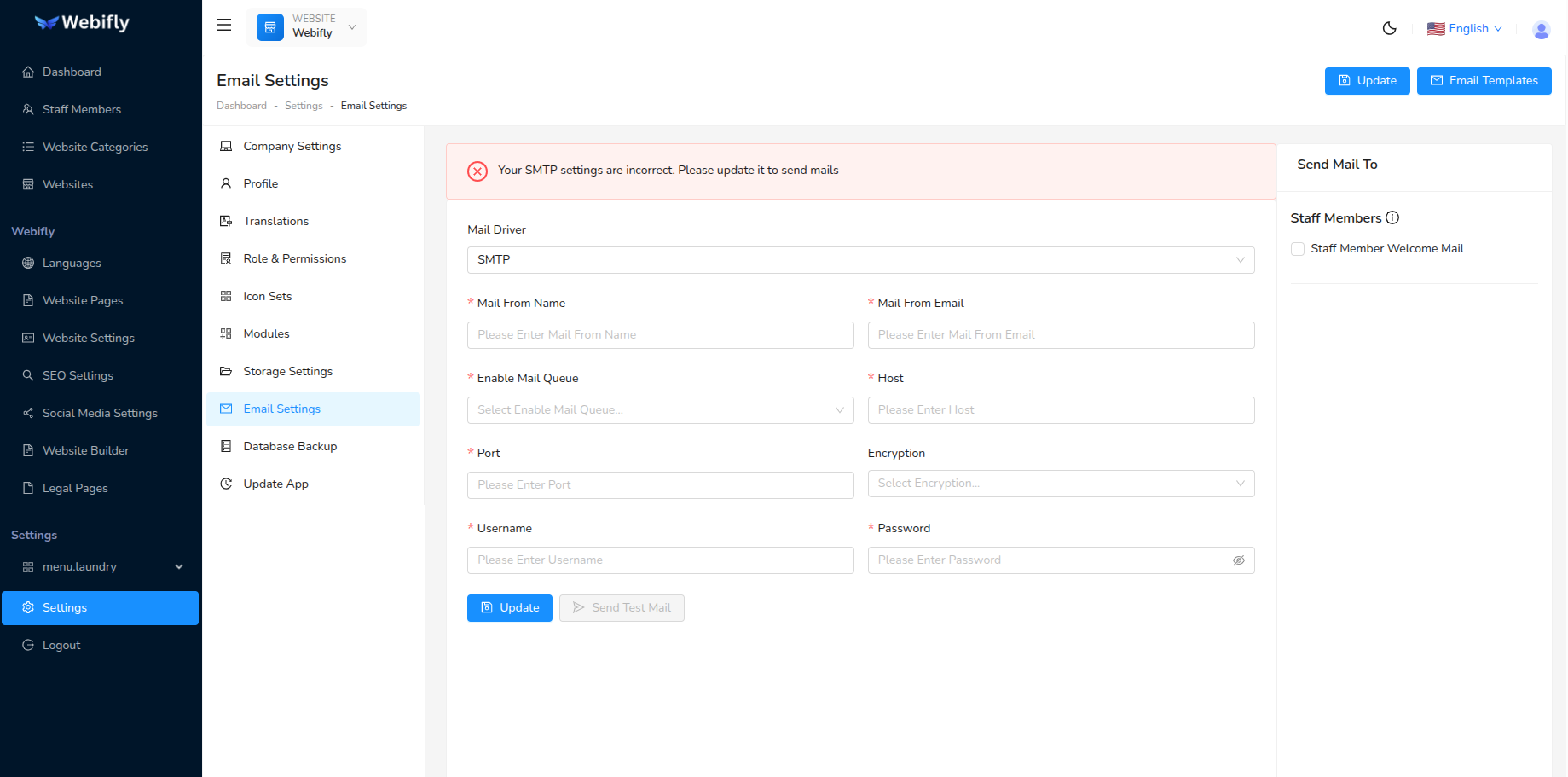
You can receive emails for activities like form submissions, inquiries, etc. To receive emails, you first have to set up email settings. Follow these steps to set up email settings:
- Select Mail Driver as SMTP
- From Name: name from which you want to send emails
- From Email: email from which you want to send emails
- Mail Queue: If set to yes, it will send emails in the background
- Host: host name
- Port: port number
- Encryption: it may be either TLS or SSL
- Username: username of your email configuration
- Password: password of your email configuration
!> Important If mail queue is set to Yes, don't forget to set up a cron job.