Roles & Permissions
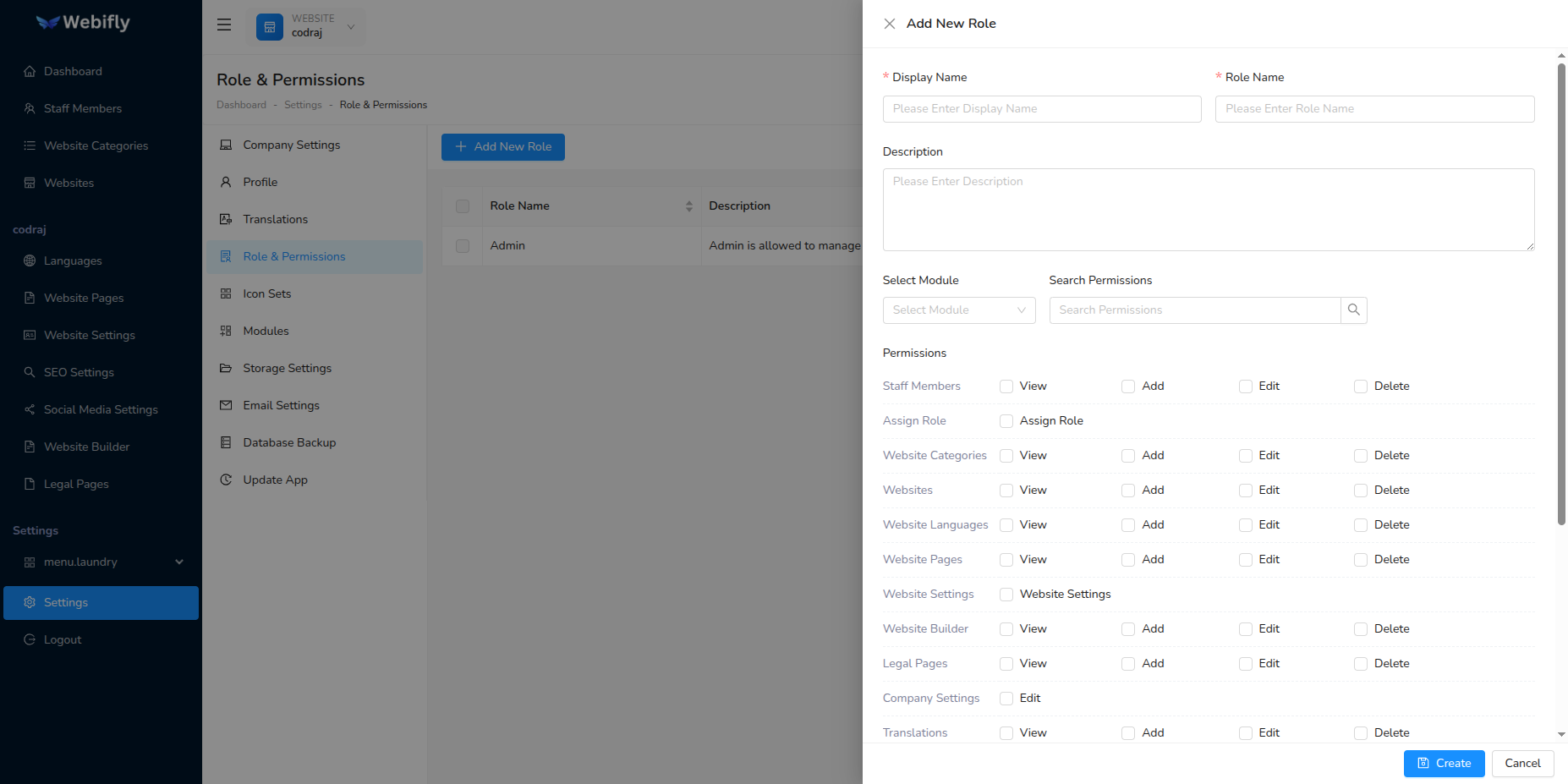
By using roles & permissions, you can control your staff members. Permissions are predefined and you can create roles according to your requirements and assign permissions to that role. Each staff member must have a role so that they can access only the parts of the application assigned to their role. To create a role, follow these steps:
- Go to Settings → Roles & Permissions
- Create New Role and assign permissions
- You can create many roles according to your requirements using permissions (e.g., Website Manager, Content Editor, etc.)
- The Admin Role is predefined and cannot be deleted