
SEO Settings
SEO Settings help your website rank better in search engines and control how your content appears when shared on social media.
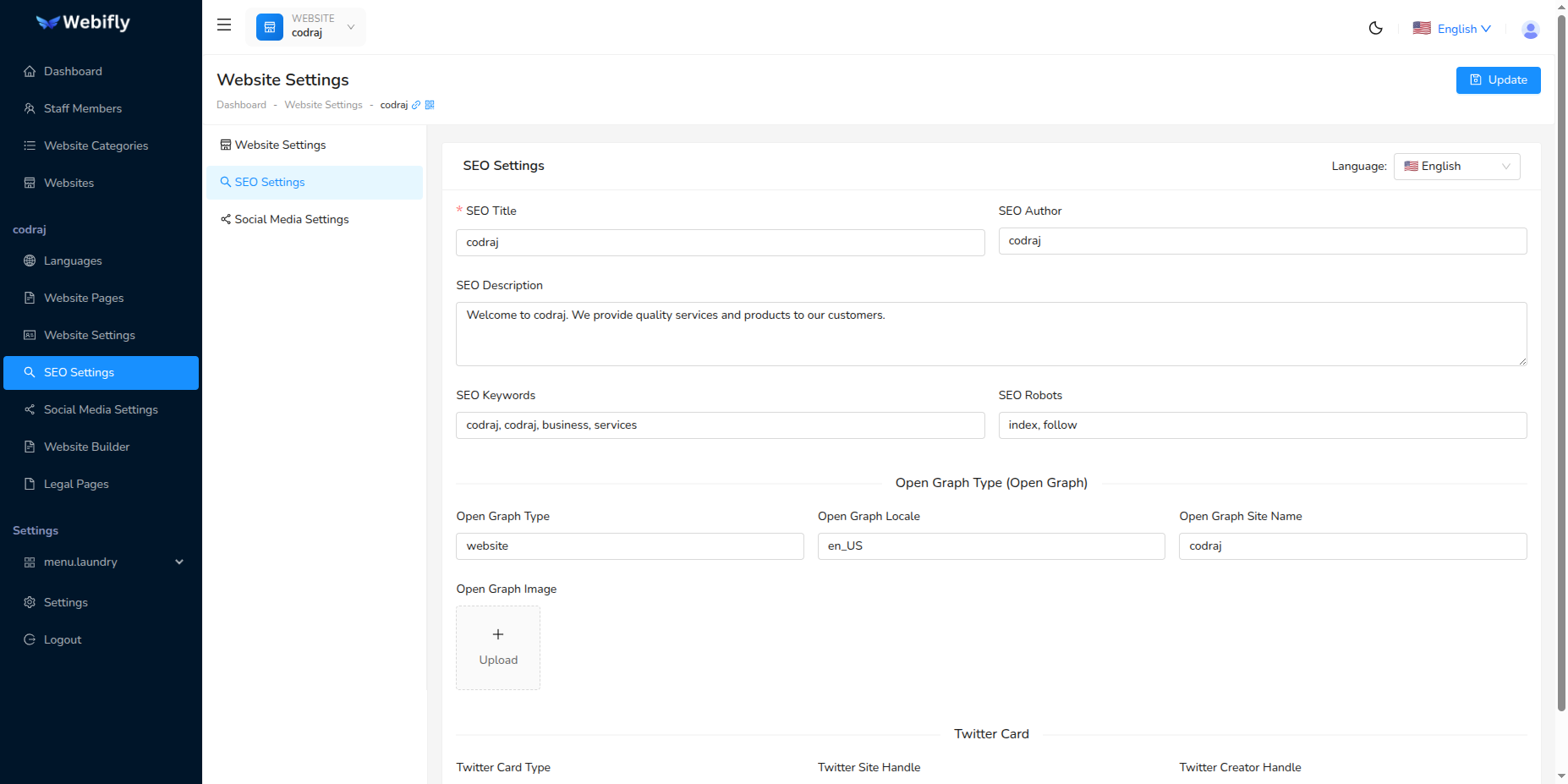
Accessing SEO Settings
Navigate to Website Settings → SEO Settings tab. Select your language from the dropdown to configure SEO for that language.
Basic SEO Meta Tags
SEO Title (Required)
- Appears in search results and browser tabs
- Limit: 50-60 characters
- Example: "Elite Event Planning Services | Create Memorable Events"
SEO Description
- Appears under title in search results
- Limit: 150-160 characters
- Include a call-to-action
SEO Keywords
- Comma-separated keywords (5-10 recommended)
- Example: "event planning, wedding planner, corporate events"
SEO Author
- Your business or personal name
- Example: "Elite Events Company"
SEO Robots
- Default: "index, follow" (recommended for public pages)
Open Graph Settings
Controls how your website appears on Facebook, LinkedIn, and WhatsApp.
OG Type: Set to "website" for most pages
OG Locale: Language code (e.g., en_US, es_MX, fr_FR)
OG Site Name: Your website/business name
OG Image: Upload an image (1200x630px recommended)
- Use high-quality images with your branding
- Include text overlay if needed
- File size: Under 8MB
Twitter Card Settings
Controls appearance on Twitter/X.
Twitter Card Type: Choose summary_large_image for most content
Twitter Site: Your Twitter handle (e.g., @YourBusiness)
Twitter Creator: Content creator's handle (can be same as Site)
Testing Your Settings
Facebook Debugger: https://developers.facebook.com/tools/debug/
Twitter Validator: https://cards-dev.twitter.com/validator
LinkedIn Inspector: https://www.linkedin.com/post-inspector/
Saving Changes
- Fill in SEO fields for your selected language
- Upload OG Image (optional)
- Click Update button
- Test using validation tools above
Multi-Language
Configure SEO separately for each language using the language selector. Translate content naturally, don't just use direct translations.