
Social Settings
Add social media links to your website and control how social icons are displayed.
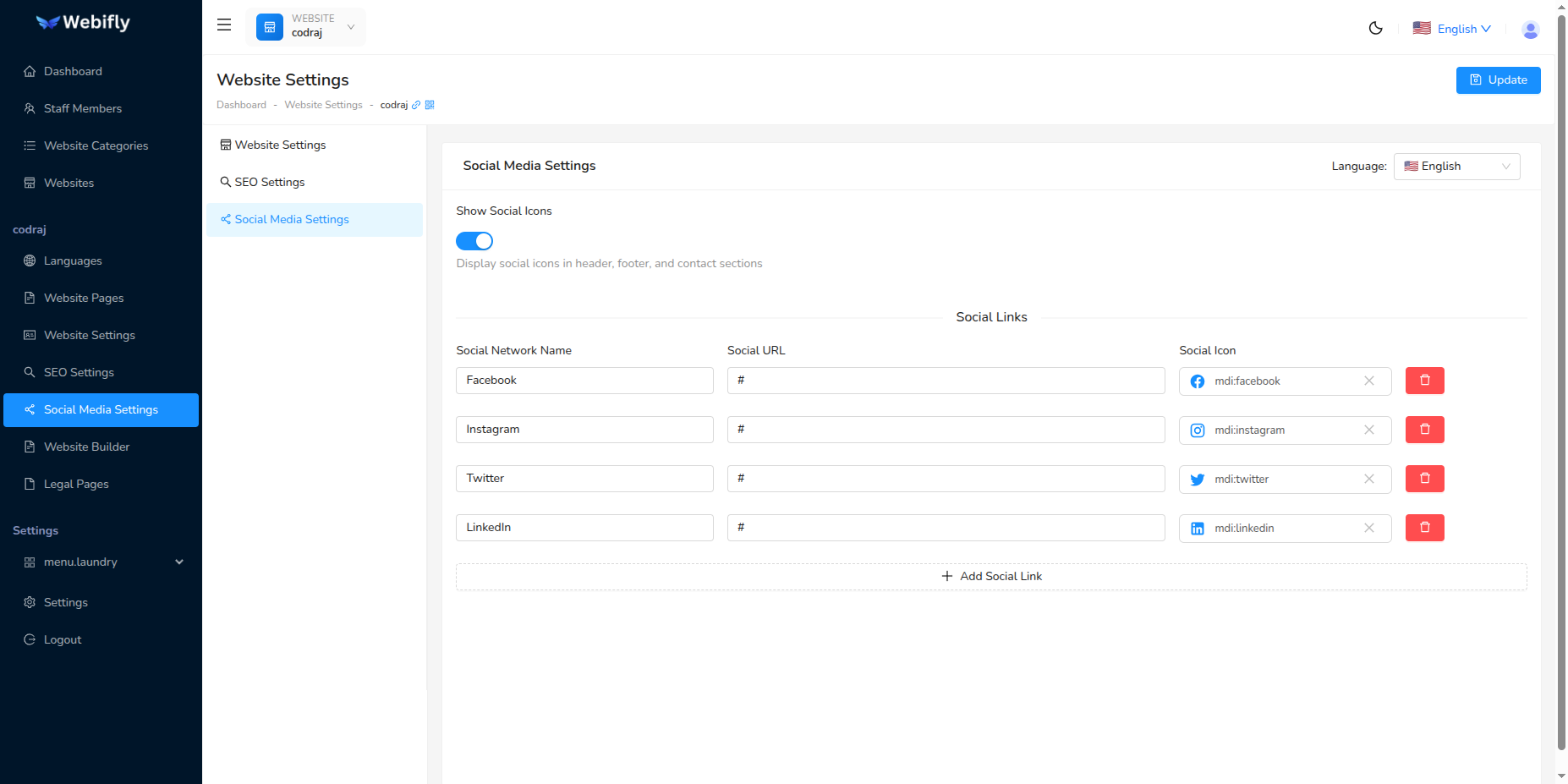
Accessing Social Settings
Navigate to Website Settings → Social Settings tab.
Show Social Icons
Toggle On: Social icons appear on your website (footer, header, contact pages)
Toggle Off: Social icons are hidden
Adding Social Links
Each social link has three fields:
1. Social Name: Platform name (e.g., "Facebook", "Instagram")
2. Social URL: Full profile URL including https://
Common URL Formats:
- Facebook:
https://facebook.com/yourpage - Instagram:
https://instagram.com/yourusername - Twitter/X:
https://twitter.com/yourhandle - LinkedIn:
https://linkedin.com/company/yourcompany - YouTube:
https://youtube.com/@yourchannel - TikTok:
https://tiktok.com/@yourusername - WhatsApp:
https://wa.me/1234567890
3. Social Icon: Choose from Icon Picker
- Search platform name (e.g., "facebook")
- Recommended:
mdi:facebook,mdi:instagram,mdi:twitter - Or use Font Awesome:
fa6-brands:facebook
Steps to Add Links
- Click Add Social Link button
- Enter platform name
- Paste full URL (must include
https://) - Click Icon Picker and search for icon
- Repeat for each platform
- Click Update to save
Example:
Name: Facebook
URL: https://facebook.com/yourpage
Icon: mdi:facebook
Managing Links
Remove: Click red Delete button, then Update
Reorder: Delete and re-add in desired order
Best Practice: Add only active platforms (3-5 recommended)
Popular Icons
Material Design Icons (mdi: prefix):
- Facebook:
mdi:facebook - Instagram:
mdi:instagram - Twitter:
mdi:twitter - LinkedIn:
mdi:linkedin - YouTube:
mdi:youtube
Font Awesome Brands (fa6-brands: prefix):
- Facebook:
fa6-brands:facebook - Instagram:
fa6-brands:instagram - Twitter/X:
fa6-brands:x-twitter
Tips
✅ Use complete URLs with https:// ✅ Test links to verify they work ✅ Use consistent icon style ✅ Only add platforms you're active on ✅ Keep URLs clean (remove tracking parameters)
TIP
Social links typically stay the same across all languages. You can configure different accounts per language if managing regional profiles.