
Expenses
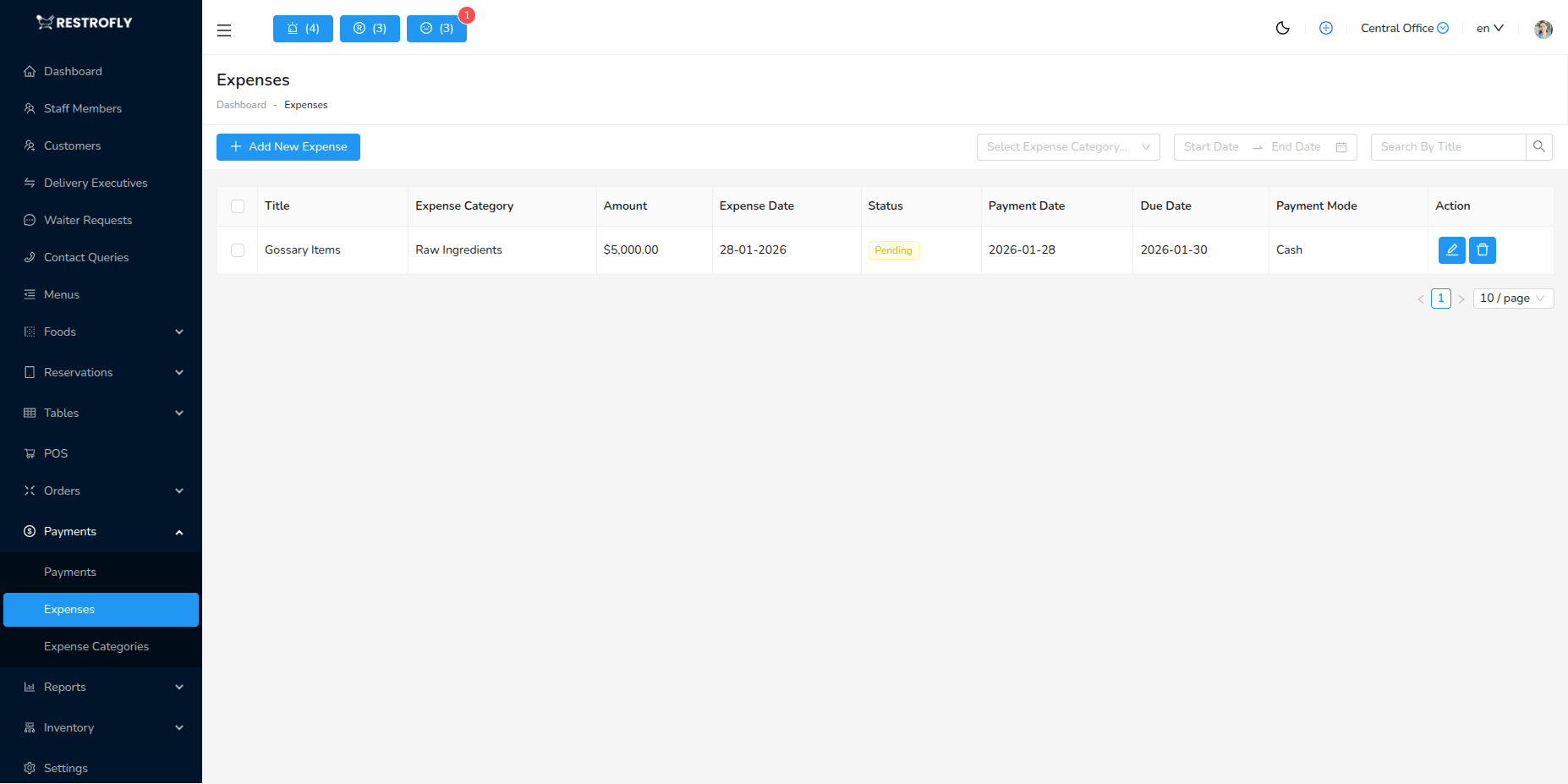
Track and manage restaurant expenses. Navigate to Payments → Expenses to record business expenses.
Overview
The Expenses module helps track all money going out of the business - from supplier payments to utility bills to staff expenses. Essential for profitability analysis and financial management.
Adding an Expense
Click Add Expense to record a new expense.
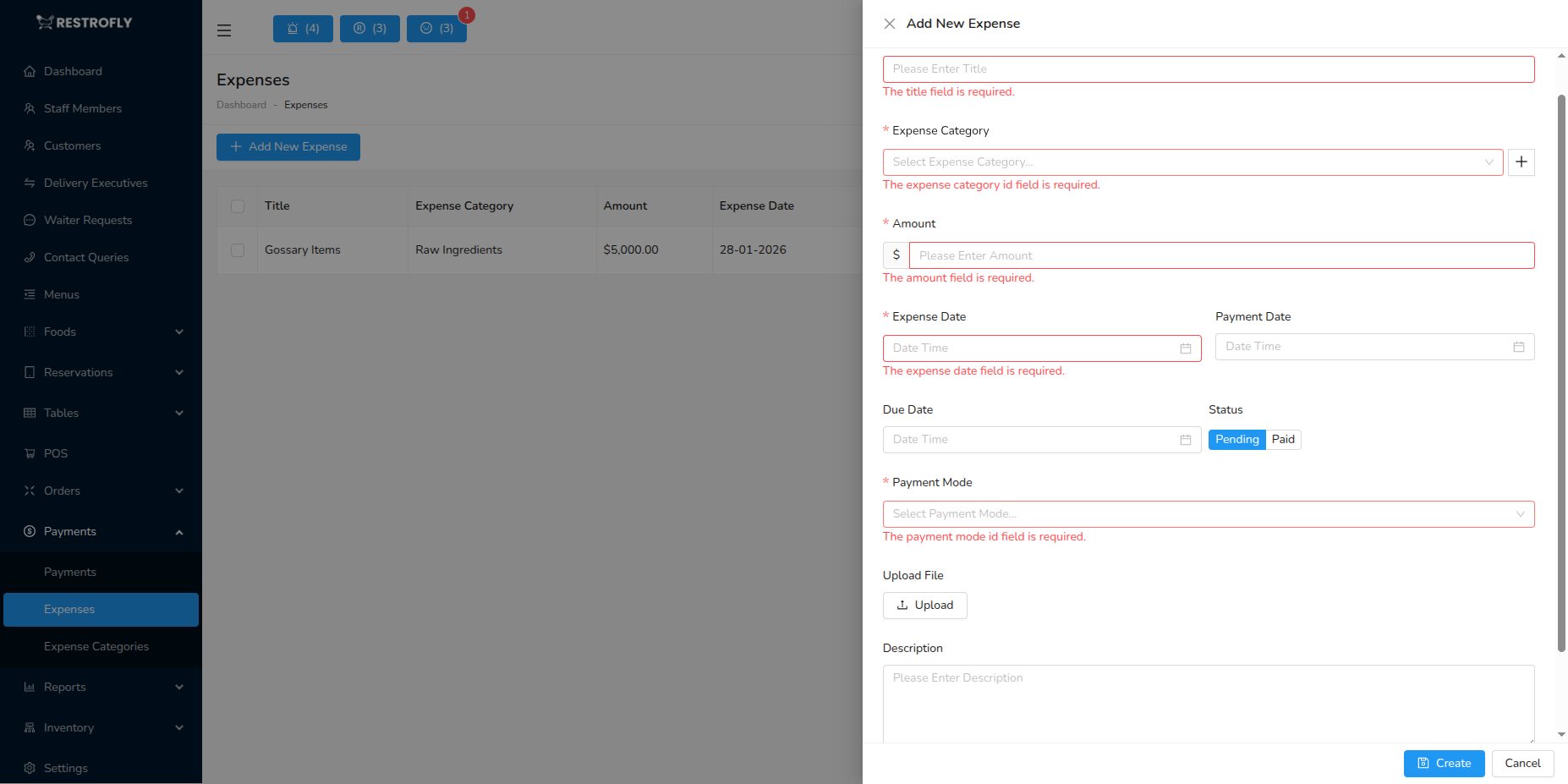
Expense Category (Required): Select category (Inventory, Utilities, Salaries, Maintenance, Marketing, etc.)
Amount (Required): Expense amount in your currency
Date (Required): When expense occurred
Payment Method: How it was paid (Cash, Bank Transfer, Card, Cheque)
Paid To: Vendor or person paid
Reference Number: Invoice number, receipt number, transaction ID
Branch: Which branch (if multi-location)
Notes: Additional details, description of expense, purpose
Receipt Upload: Attach photo/scan of receipt, PDF of invoice, proof of payment
Expense List View
Columns:
- Expense ID
- Category
- Amount
- Date
- Paid To
- Payment Method
- Reference Number
- Added By: Staff who recorded it
Filters:
- Date range
- Category
- Payment method
- Amount range
- Branch
Expense Categories
Common Categories:
Inventory & Supplies: Food ingredients, beverages, packaging materials, disposables
Utilities: Electricity, water, gas, internet, phone
Salaries & Wages: Staff salaries, wages, bonuses, overtime
Rent: Restaurant rent, property lease
Maintenance & Repairs: Equipment repairs, plumbing, electrical, facility maintenance
Marketing: Advertising, promotions, social media, print materials
Equipment: Kitchen equipment, furniture, POS systems
Transportation: Delivery vehicles, fuel, vehicle maintenance
Licenses & Permits: Business licenses, health permits, certifications
Professional Services: Accountant, lawyer, consultants
Insurance: Business insurance, liability insurance
Miscellaneous: Other expenses not fitting above categories
Expense Reports
Generate expense reports:
- Total expenses by period
- Category-wise breakdown
- Expense trends
- Compare to budget
- Profit & loss impact
- Vendor-wise expenses
Export Options: CSV, PDF, Excel
Best Practices
Record Immediately: Enter expenses as they occur, don't delay or forget, maintain current records
Keep Receipts: Always get receipt or invoice, photograph and attach to entry, store physical copies securely
Categorize Correctly: Use consistent categories, accurate categorization for reporting, don't misclassify
Regular Review: Review expenses weekly, identify unusual expenses, catch errors early
Budget Tracking: Set budgets per category, monitor against budget, alert when exceeding
Approval Workflow: Require manager approval for large expenses, maintain control, prevent unauthorized spending
Vendor Management: Track payments to each vendor, ensure timely payments, maintain vendor relationships
Budget Alerts
Set budget limits per expense category and get alerts when approaching or exceeding budget. Prevents overspending and helps maintain profitability.
Expense Fraud
Monitor expenses for irregularities. Duplicate entries, inflated amounts, fake receipts are red flags. Regular audits prevent fraud.