
Inventory Items
Manage raw materials, ingredients, and supplies. Navigate to Inventory → Inventory Items to manage inventory.
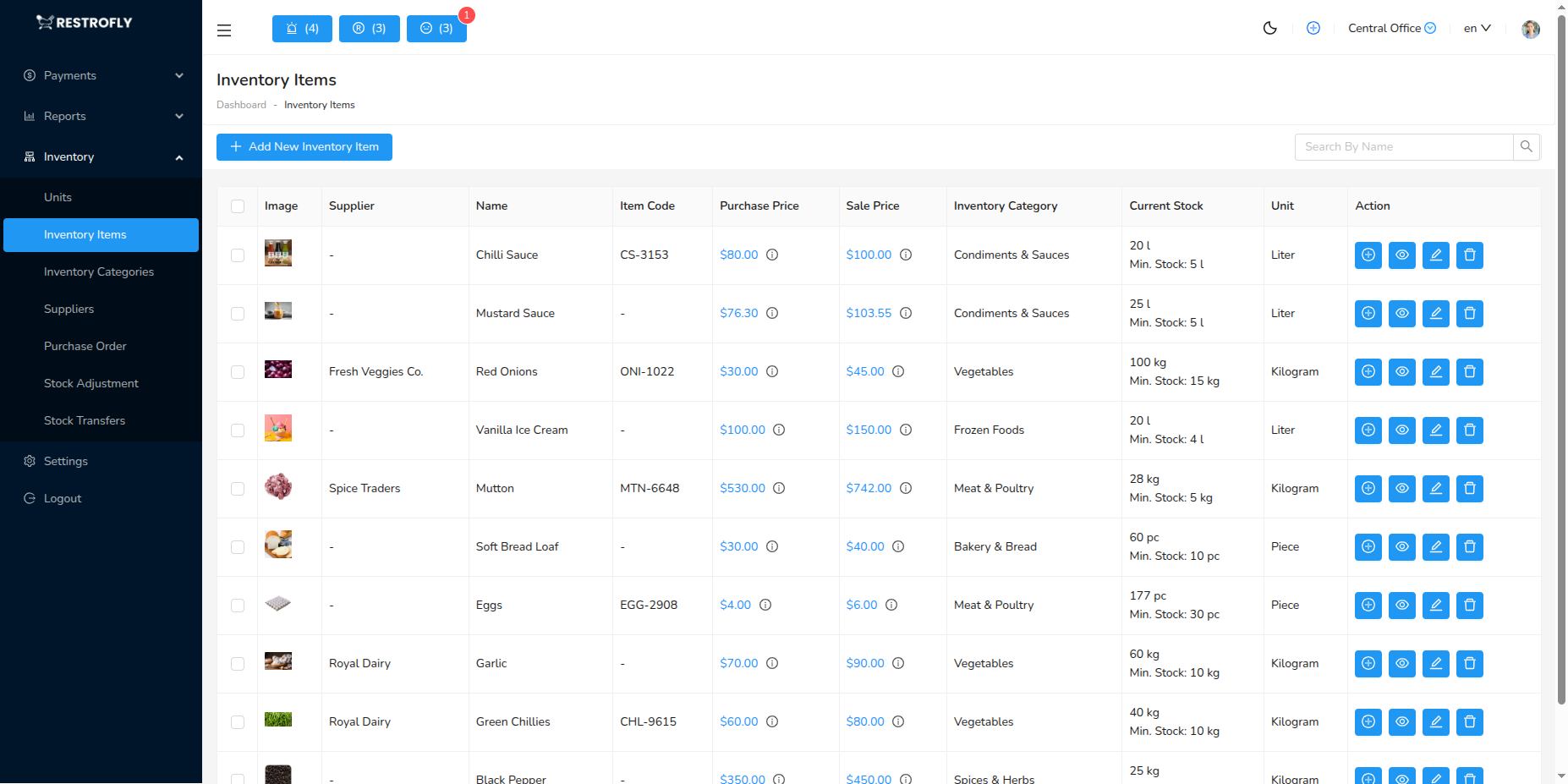
Overview
Inventory Items are the raw materials and ingredients you purchase and use to prepare menu items. Tracking inventory prevents stockouts, reduces waste, and enables accurate costing.
Creating an Inventory Item
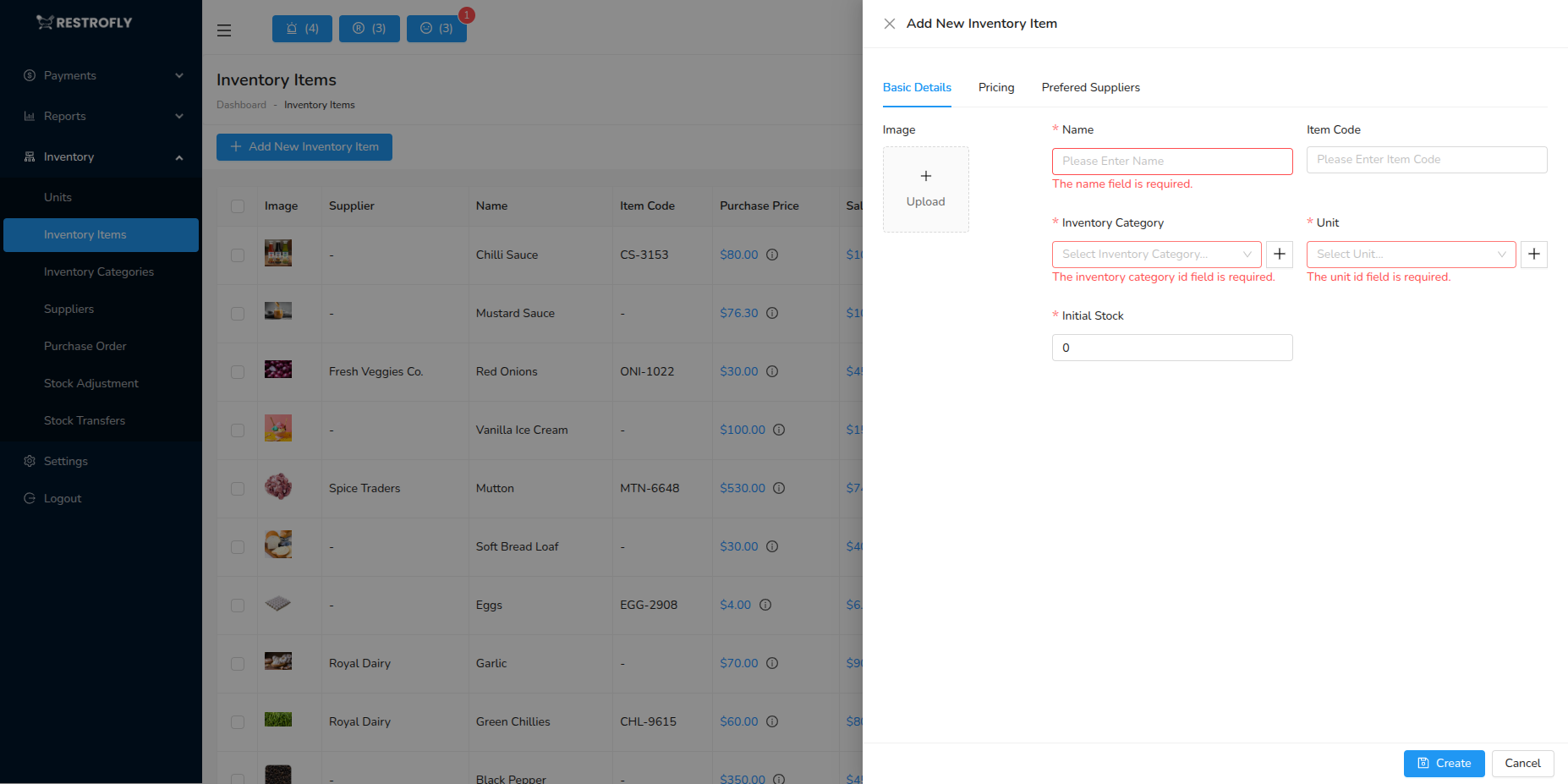
Name (Required): Item name (e.g., "Chicken Breast", "Tomatoes", "Olive Oil")
SKU: Stock Keeping Unit code for tracking
Category: Inventory category (Meat, Vegetables, Dairy, etc.)
Unit: Measurement unit (kg, L, pcs)
Minimum Stock Level: Alert threshold, reorder point
Current Stock: Quantity on hand
Unit Cost: Cost per unit, updates with purchases
Supplier: Primary supplier, alternate suppliers
Inventory List View
Shows all items with current stock, unit, cost, and value. Color indicators for low stock items.
Stock Tracking
Stock In: Receive from purchase orders, manual stock additions
Stock Out: Used in food preparation, automatic deduction when items sold, manual adjustments for waste
Current Stock: Real-time stock level, value calculation
Stock Alerts: Low stock notifications, reorder reminders
Best Practices
Set Minimum Levels: Realistic minimum stock to avoid stockouts, account for lead time from supplier
Regular Counts: Physical stock counts weekly or monthly, reconcile with system, adjust discrepancies
FIFO: First In First Out - use oldest stock first, reduces spoilage and waste
Cost Updates: Update unit costs when purchasing at different prices, maintains accurate costing
Spoilage
Track and record spoilage and waste. High spoilage rates indicate over-ordering, poor storage, or quality issues. Monitor and reduce.