
Payment Modes
Payment Modes define the different payment methods accepted by your restaurant. Setting up payment modes helps track how customers pay and provides better financial reporting. You can create and manage payment modes by navigating to Settings → Payment Modes.
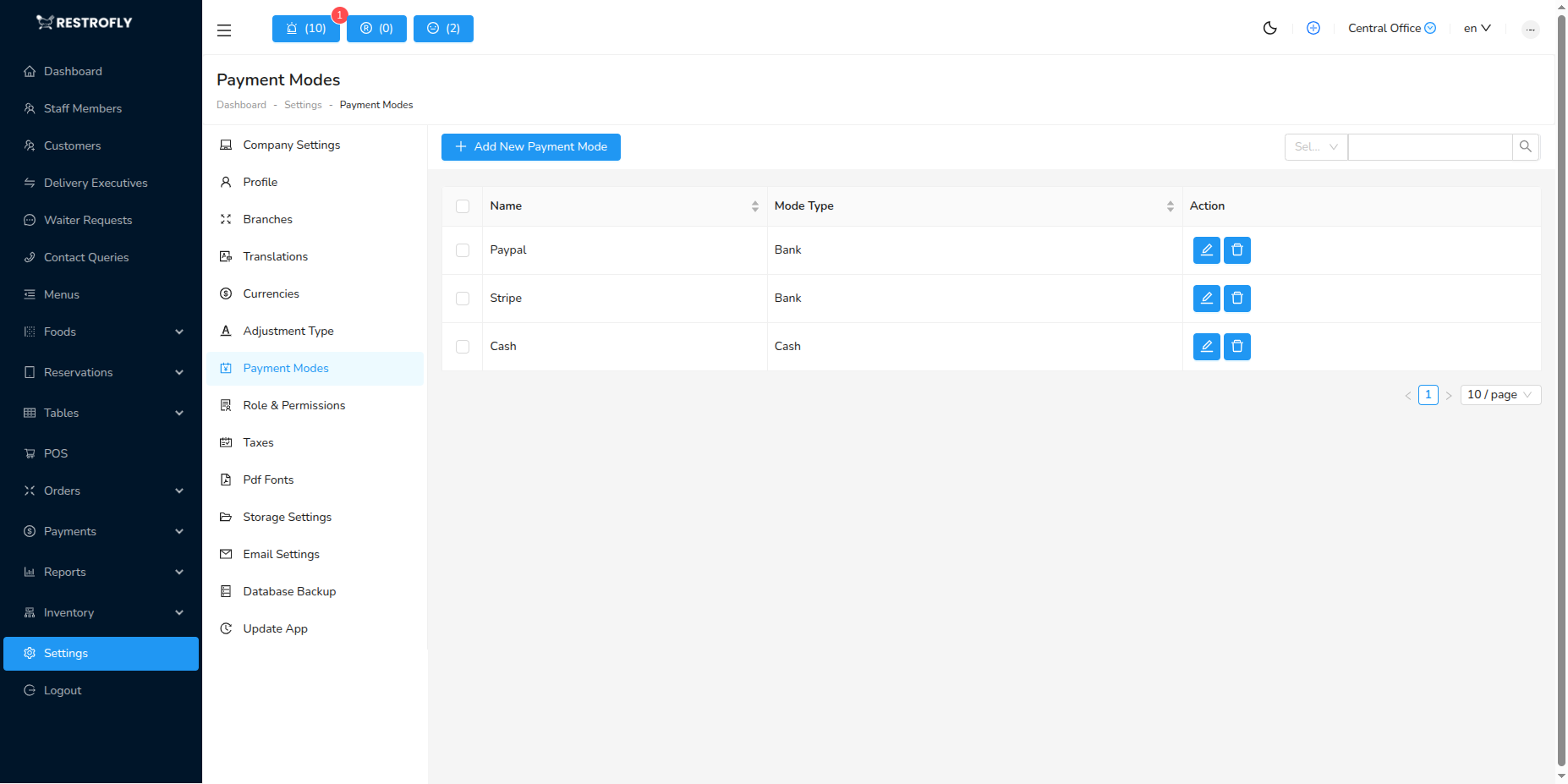
Creating a New Payment Mode
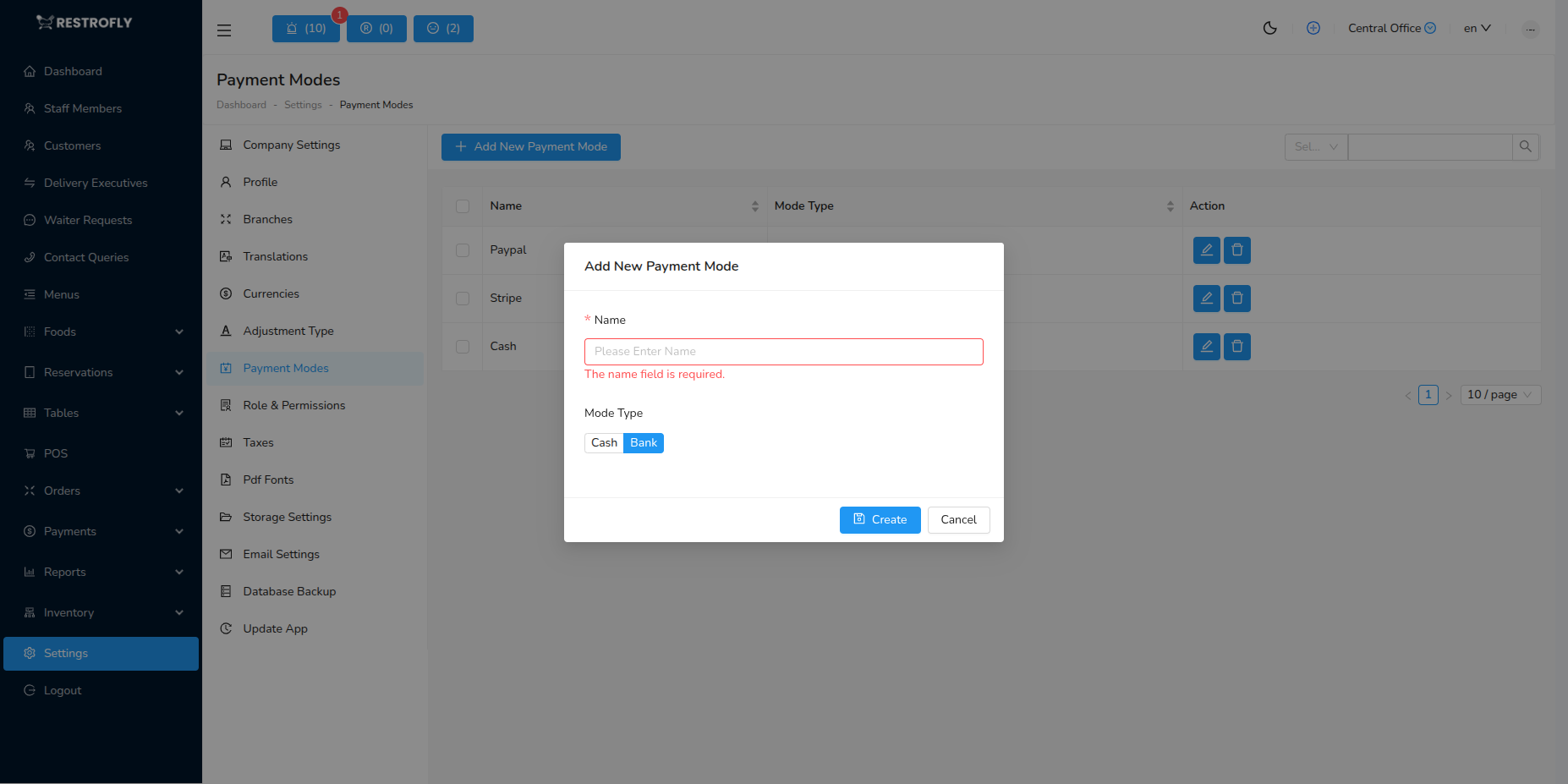
When creating or editing a payment mode, configure the following fields:
Name
- Payment Mode Name: Enter a clear, descriptive name for the payment method (required)
- Examples: Cash, Credit Card, Debit Card, UPI, PayPal, Gift Card
- Name appears in payment selection during order processing
- Keep names consistent and easy for staff to recognize
Mode Type
- Mode Type: Choose the category for this payment method (required)
- Cash: For cash payments and cash-equivalent transactions
- Use for: Cash, Petty Cash, Cash on Delivery
- Helps track cash flow and cash drawer reconciliation
- Bank: For all electronic and card-based payments
- Use for: Credit Card, Debit Card, UPI, Mobile Wallets, Bank Transfer, Gift Card
- Helps separate electronic payments from cash for reporting
- Cash: For cash payments and cash-equivalent transactions
Choosing Mode Type
The Mode Type helps categorize payments for financial reporting. Choose Cash only for actual cash transactions, and Bank for all electronic/card payments, even if they settle immediately.
Common Payment Mode Examples
Cash Type Payment Modes
| Payment Mode Name | Mode Type | Use Case |
|---|---|---|
| Cash | Cash | Standard cash payments |
| Petty Cash | Cash | Small cash transactions |
Bank Type Payment Modes
| Payment Mode Name | Mode Type | Use Case |
|---|---|---|
| Credit Card | Bank | Credit card payments (Visa, Mastercard, Amex) |
| Debit Card | Bank | Debit card payments |
| UPI | Bank | UPI payments (Google Pay, PhonePe, Paytm) |
| PayPal | Bank | PayPal transactions |
| Bank Transfer | Bank | Direct bank transfers/wire transfers |
| Gift Card | Bank | Gift card redemptions |
| Digital Wallet | Bank | Apple Pay, Google Pay, Samsung Pay |
Using Payment Modes
Once created, payment modes are used when:
- Processing customer orders and bills
- Recording payments in the POS system
- Generating financial reports
- Reconciling end-of-day cash and bank deposits
Best Practices
Set Up All Payment Methods You Accept
- Create a payment mode for each method your restaurant accepts
- Ensure staff know which payment mode to select for each transaction type
Use Descriptive Names
- "Credit Card" is better than "Card"
- "UPI - Google Pay" is better than just "UPI" if you track different UPI apps
Keep Active Payment Modes Current
- If you stop accepting a payment method, you can delete it or keep for historical data
- Add new payment methods as soon as you start accepting them
Train Staff on Payment Mode Selection
- Ensure staff select the correct payment mode for accurate reporting
- Create quick reference guides for similar payment types (e.g., different credit card brands all use "Credit Card")
Financial Reporting
Payment modes are crucial for financial reporting. They help you understand customer payment preferences, manage cash flow, and reconcile bank deposits.
Consistent Usage
Ensure all staff use payment modes consistently. Mixing up Cash and Bank types can cause errors in cash drawer reconciliation and financial reports.