
Tables
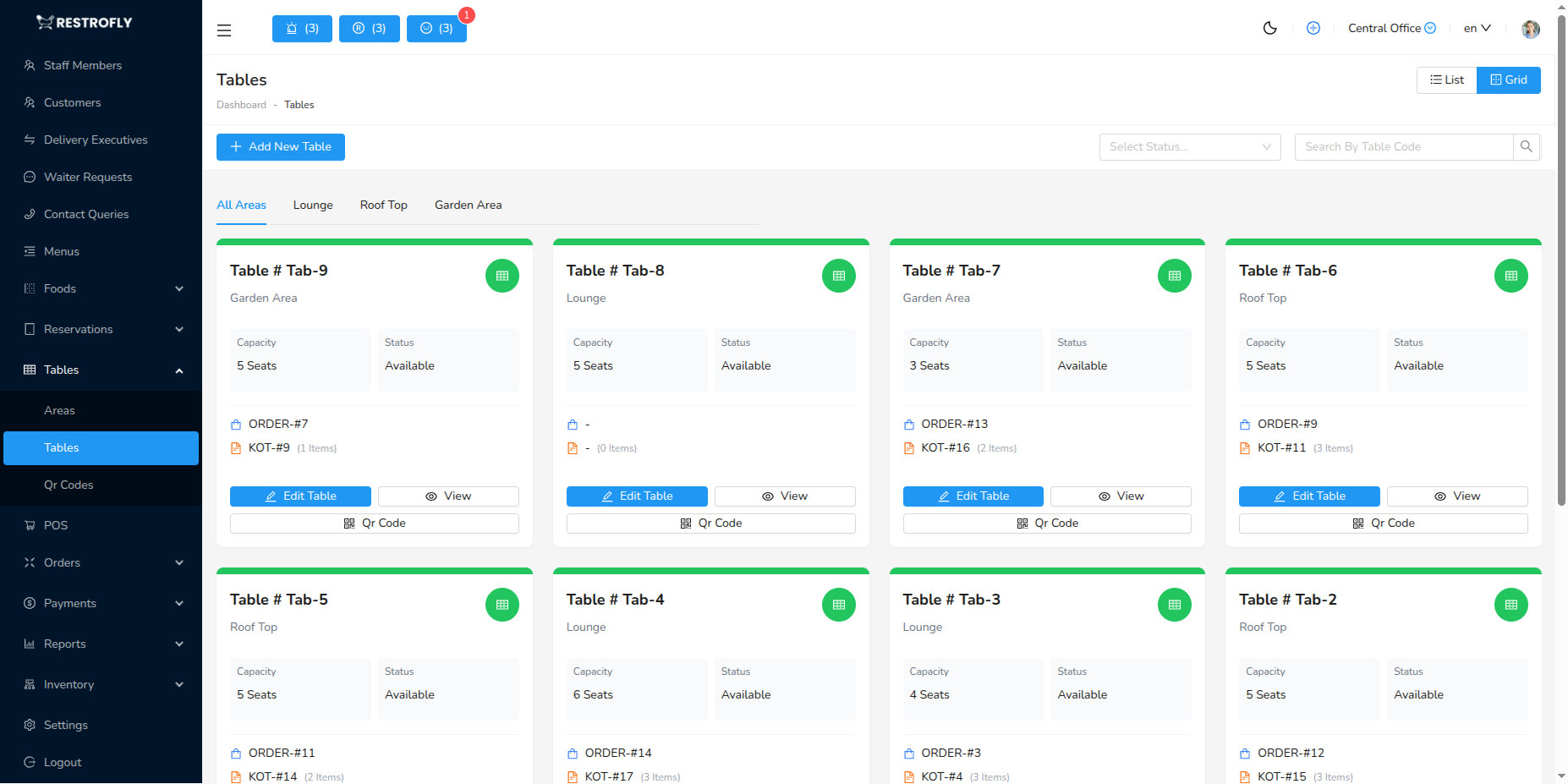
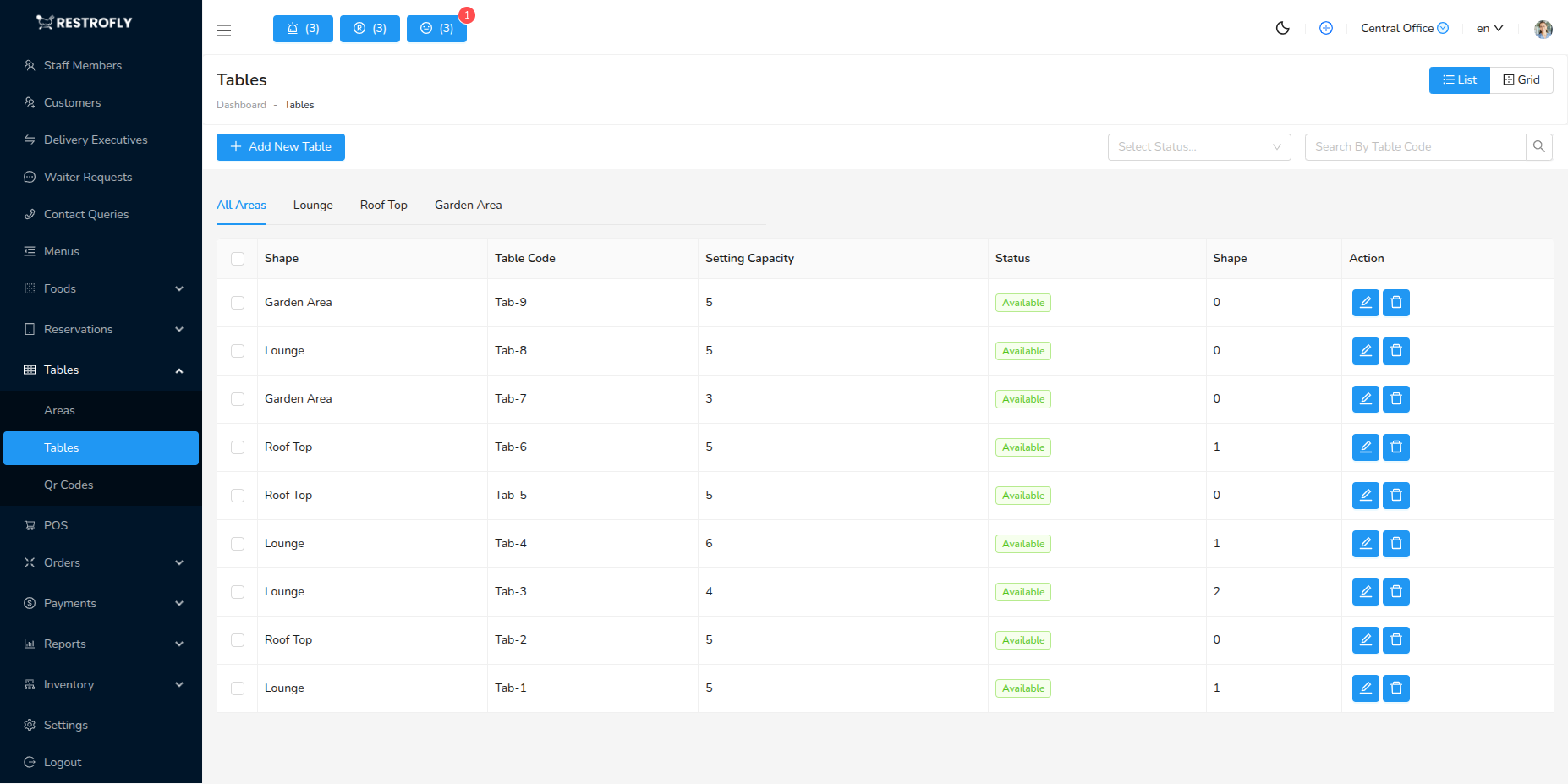
Create and manage all tables in your restaurant including QR code generation. Navigate to Tables → Tables to manage seating inventory.Tables list has two type of display table format and grid format, you can toggle to see in the formats of list page by clicking on toggle button.
Creating a Table
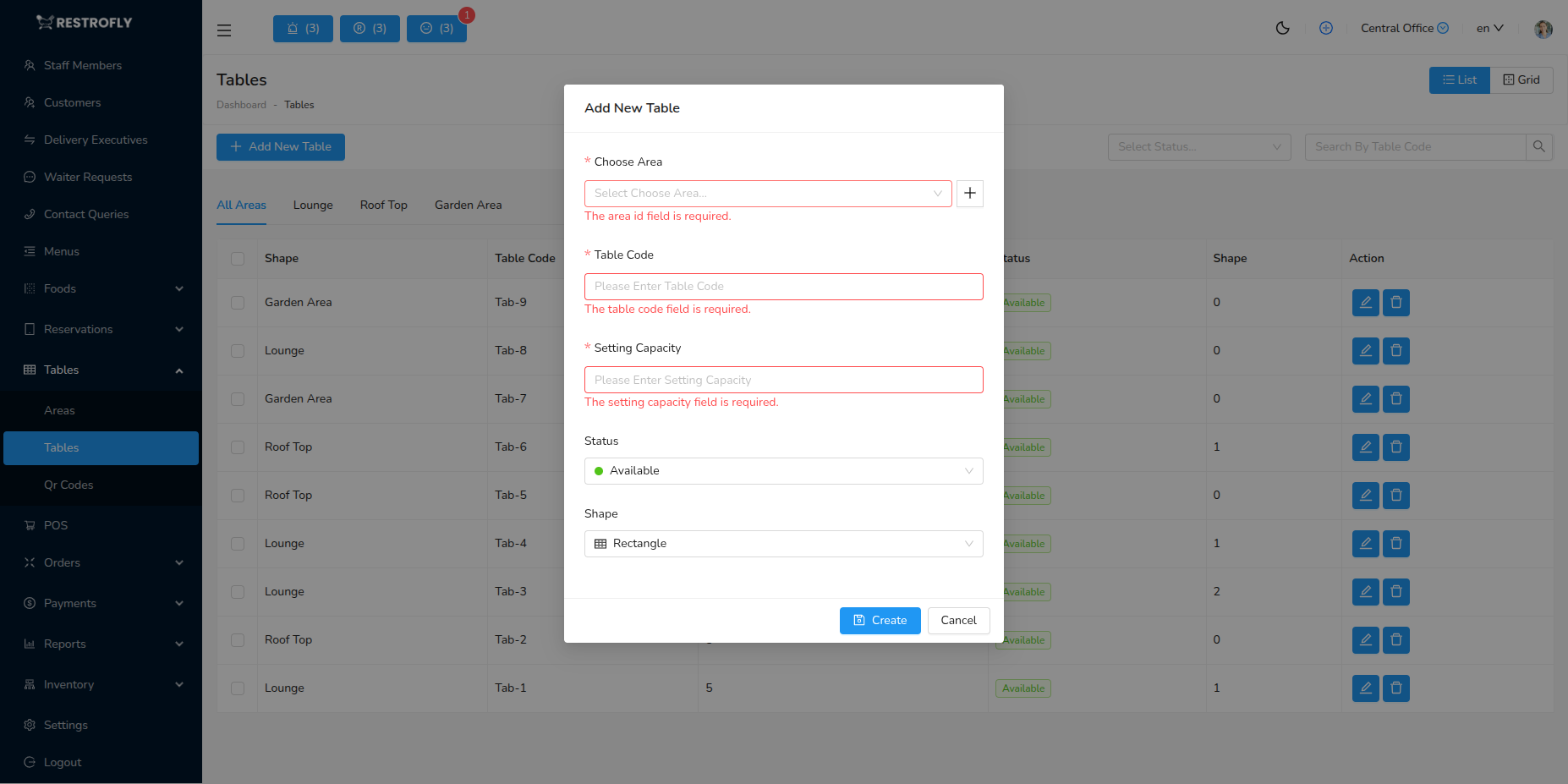
Table Code (Required): Unique identifier (T-01, Table 1, A1) Area (Required): Which section this table belongs to Capacity (Required): Maximum number of guests (2, 4, 6, 8, etc.) Shape (Optional): Round, Square, Rectangle, Oval QR Code: Automatically generated for contactless ordering
QR Code Features
Each table gets a unique QR code that customers scan to view menu and order from their table. Download individual or bulk QR codes for printing.
QR Code Implementation
Print QR codes on table tents, stickers, or acrylic stands. Minimum size 2x2 inches for reliable scanning.