
Food Type
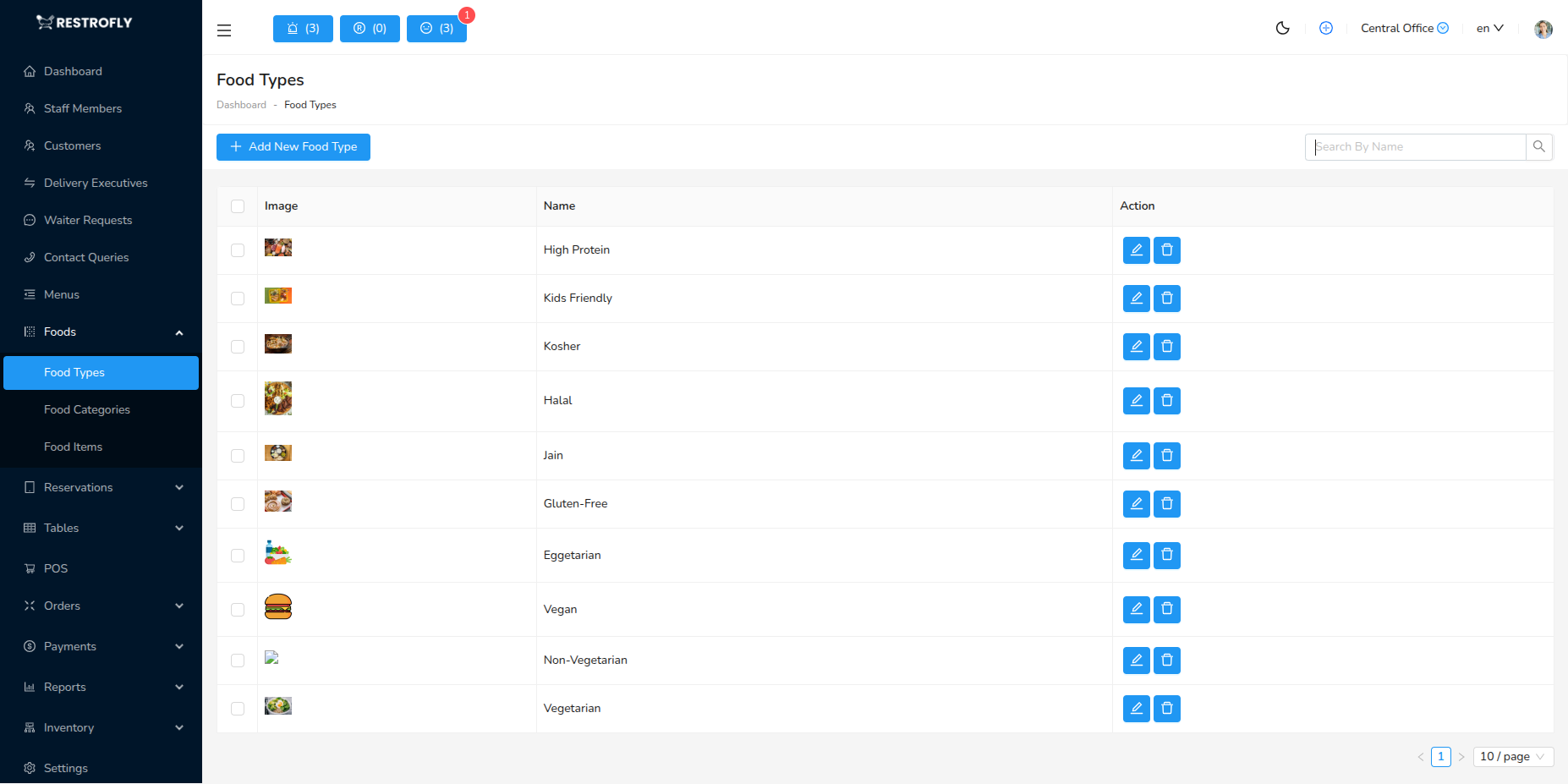
Food Types are high-level categories for your menu items, such as Appetizers, Main Courses, Desserts, Beverages, etc. Navigate to Foods → Food Type to manage food types.
Overview
Food Types help organize your menu into major categories that customers understand. They're broader than Food Categories and provide the first level of menu organization.
Food Hierarchy
The food organization hierarchy is: Menu → Food Type → Food Category → Food Items. For example: Dinner Menu → Main Courses → Chicken Dishes → Grilled Chicken Breast.
Creating a Food Type
Click Add Food Type to create a new food type.
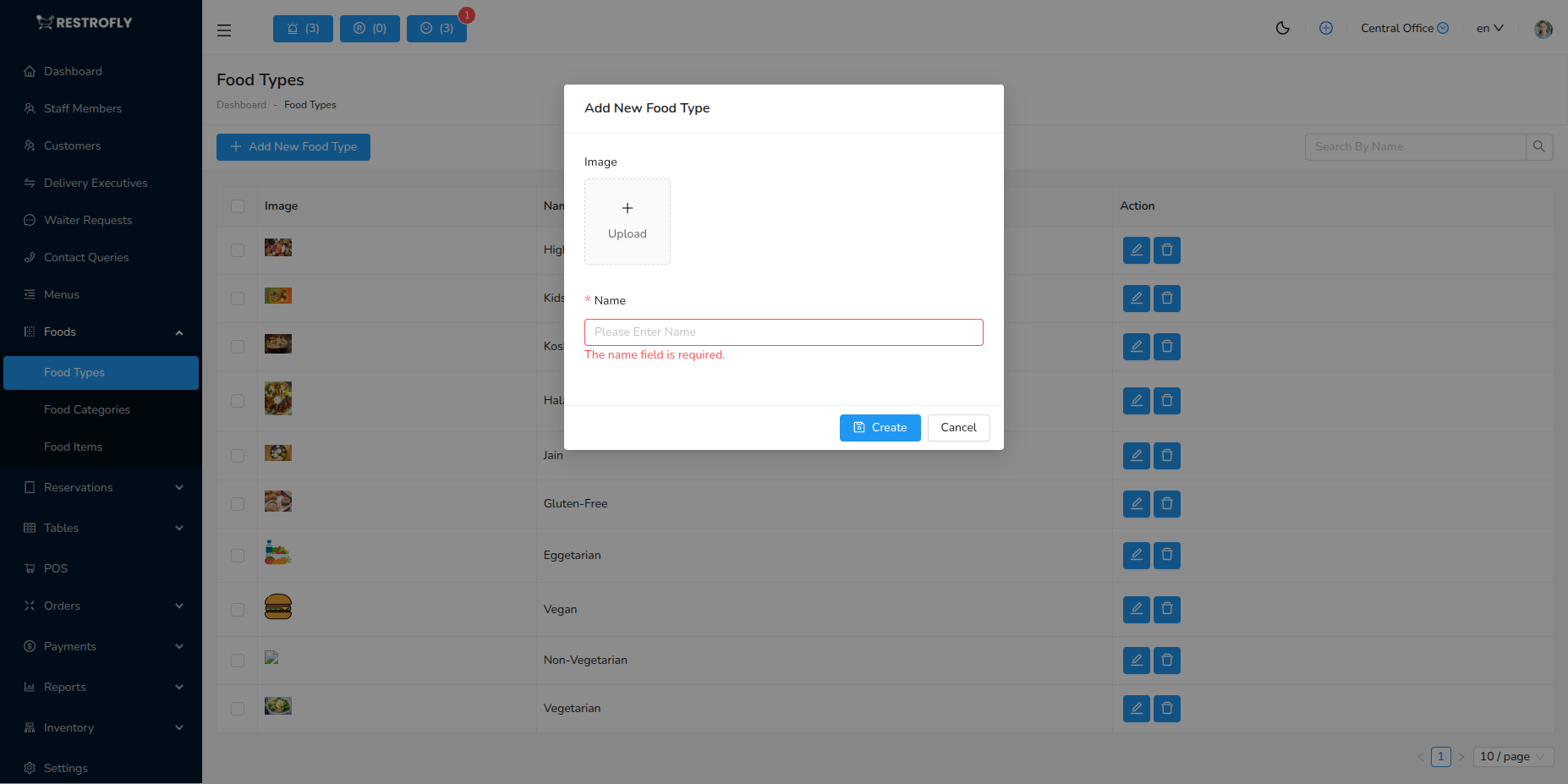
Image
- Upload an image representing this food type
- Example: A platter of appetizers for "Appetizers" type
- Optional but enhances visual presentation
- Displays on website and digital menus
Name (Required)
- Name of the food type
- Common examples:
- Appetizers / Starters
- Main Courses / Entrees
- Desserts / Sweets
- Beverages / Drinks
- Sides / Accompaniments
- Soups / Salads
- Breads
- Rice & Noodles
- Seafood
- Vegetarian
- Non-Vegetarian
- Use names your customers will recognize
- Keep consistent with your menu style
Food Type List View
The list displays:
- Image: Food type thumbnail
- Name: Food type name
- Created At: Date added
- Actions: Edit, Delete buttons
Bulk Actions
- Select multiple food types
- Bulk delete (only empty types)
Deleting Food Types
You cannot delete a food type that has food items assigned to it. Reassign all items first, then delete.
Common Food Type Structures
Traditional Restaurant
- Appetizers
- Soups & Salads
- Main Courses
- Sides
- Desserts
- Beverages
Fast Food / Casual
- Burgers
- Pizza
- Fried Chicken
- Sandwiches
- Sides
- Drinks
- Desserts
Fine Dining
- Amuse-Bouche
- Appetizers
- Soups
- Salads
- Fish & Seafood
- Meat & Poultry
- Desserts
- Beverages
- Wine List
Café / Coffee Shop
- Hot Beverages
- Cold Beverages
- Bakery
- Breakfast
- Light Meals
- Desserts
Multi-Cuisine
- Chinese
- Italian
- Indian
- Continental
- Thai
- Mexican
Best Practices
Clear Categories
- Use universally understood terms
- "Appetizers" not "Small Plates" (unless that's your brand)
- Keep naming consistent
Logical Order
- Organize as customers expect
- Appetizers before Main Courses
- Desserts at the end
- Beverages separate or at end
Limited Number
- 5-10 food types is typical
- Too many confuses customers and staff
- Consolidate similar categories
Visual Quality
- Use high-quality, professional images
- Images should be appetizing and representative
- Consistent style across all types
Regular Review
- Update quarterly or seasonally
- Remove unused types
- Add new categories as menu evolves
Website Display
Food Types often appear as navigation tabs or sections on customer-facing websites. Choose names and images that work well in digital formats.