
Storage Settings
Storage Settings allow you to configure where your application stores files like images, documents, and backups. To manage storage settings navigate Settings → Storage Settings.
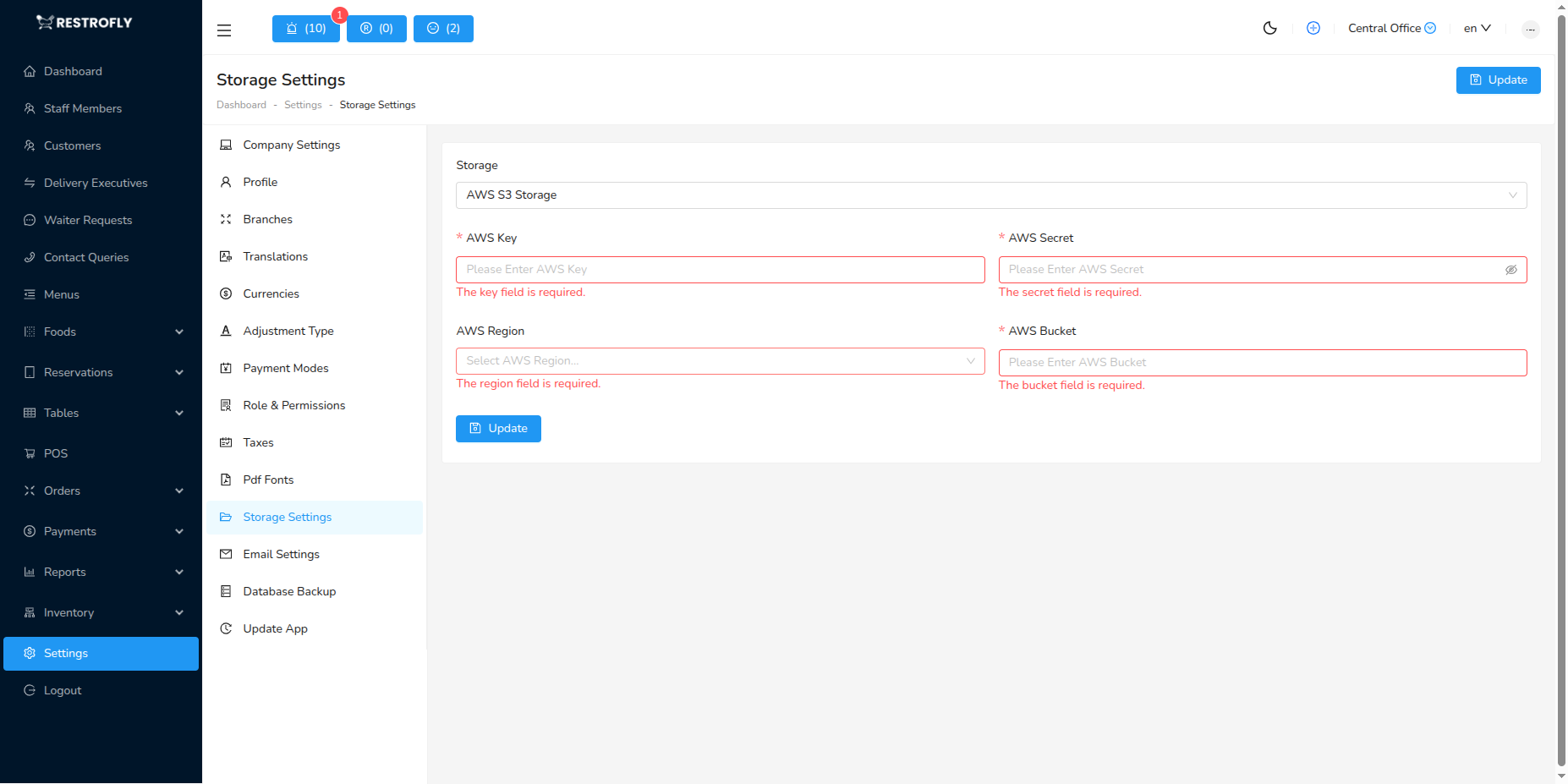
You can choose between two types of storage:
1. Local Storage
Files are stored on your server's local disk.
2. AWS S3 Storage
To store files on AWS S3, you need to configure the following fields:
- AWS Key: Enter the AWS access key (required)
- AWS Secret: Enter the AWS secret key (required)
- AWS Region: Enter the AWS region (required)
- AWS Bucket: Enter the AWS bucket name (required)
Cloud Storage Benefits
Using cloud storage like AWS S3 provides better scalability, reliability, and can reduce server load for file storage.