
Reservation Blockout
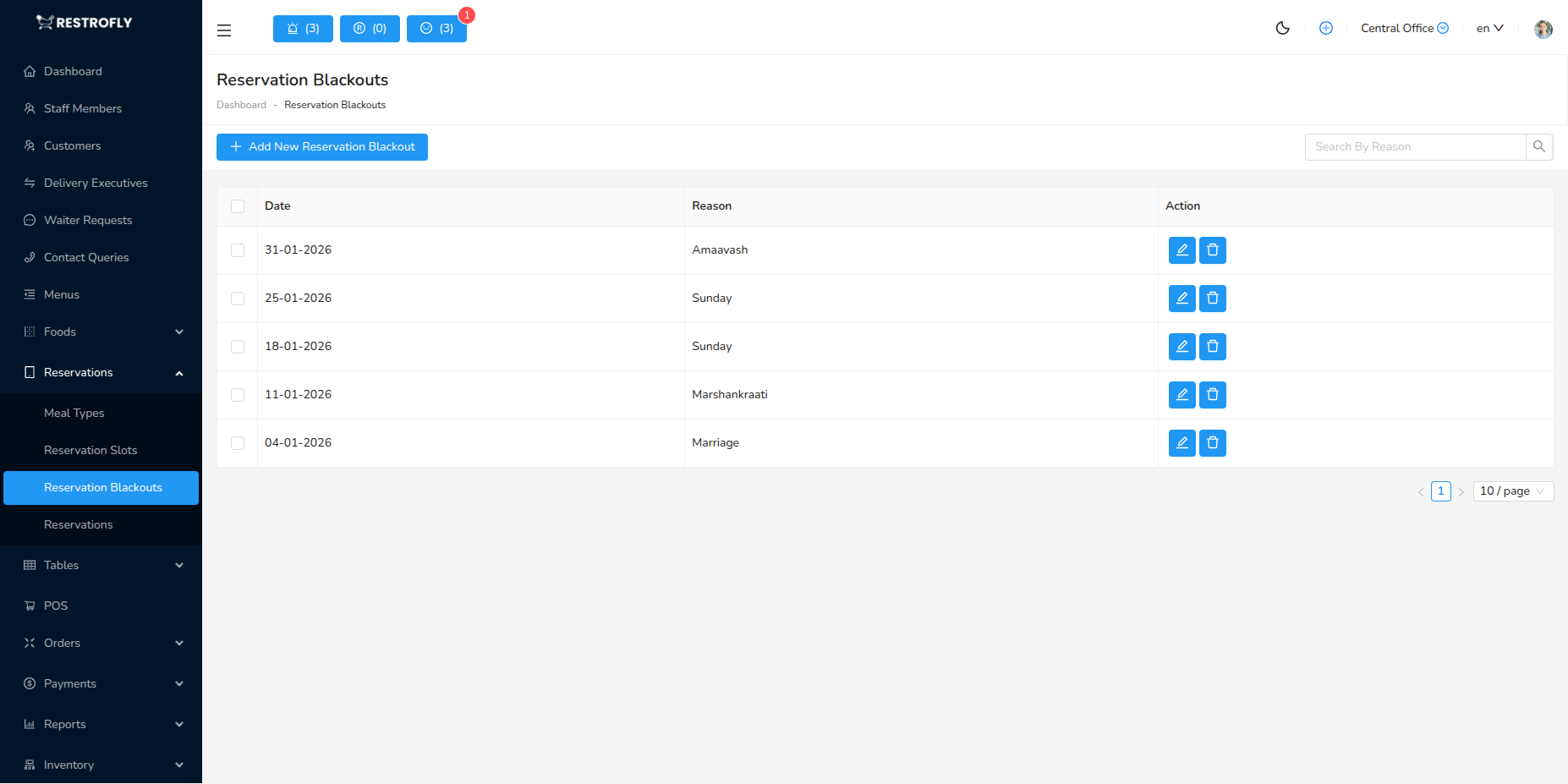
Block specific dates, times, or periods when you don't want to accept reservations. Navigate to Reservations → Reservation Blockout to manage blocked dates.
Overview
Reservation Blockout allows you to prevent bookings during specific times without permanently changing your reservation slot configuration. Essential for holidays, private events, maintenance, and other non-operating periods.
Creating a Reservation Blockout
Click Add Reservation Blockout to block dates/times.
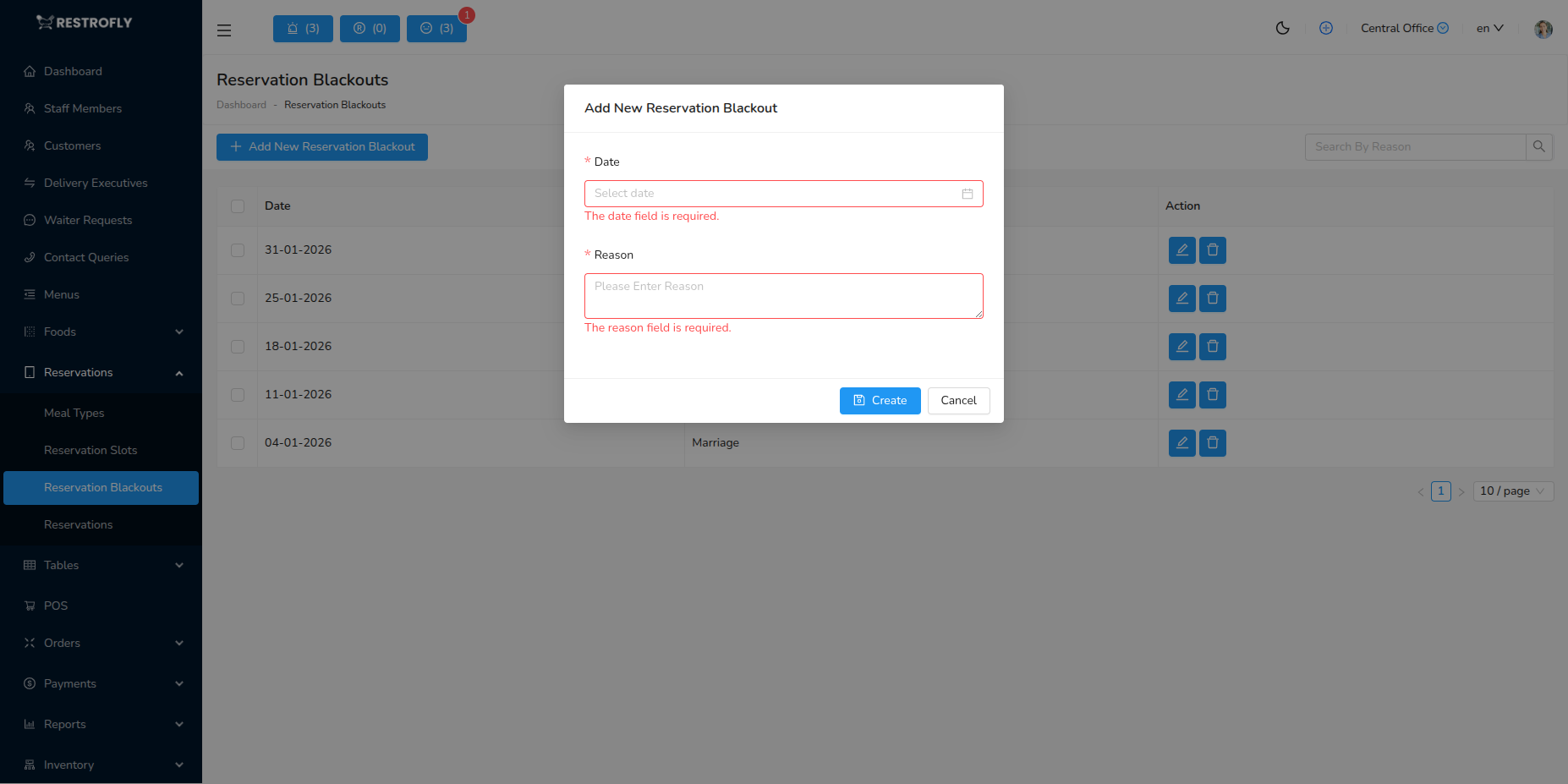
Name / Reason (Required)
- Brief description of why you're blocking reservations
- Examples:
- "Christmas Day - Closed"
- "Private Wedding Event"
- "Kitchen Renovation"
- "Staff Training Day"
- "New Year's Eve - Private Event"
- Helps you remember why blockout was created
- Internal reference only (not shown to customers)
Start Date & Time (Required)
- When the blockout period begins
- Select date and time
- Example: 2024-12-25 00:00 (Christmas Day midnight)
End Date & Time (Required)
- When the blockout period ends
- Must be after Start Date & Time
- Example: 2024-12-25 23:59 (Christmas Day end)
Block Type (Optional)
- Full Day: Blocks entire day, all times
- Specific Hours: Blocks only certain hours
- Date Range: Blocks multiple consecutive days
Reservation Blockout List View
The list displays:
- Reason: Why blockout was created
- Start Date & Time: Blockout begins
- End Date & Time: Blockout ends
- Status: Active, Upcoming, or Past
- Actions: Edit, Delete buttons
Filters:
- Active Blockouts: Currently in effect
- Upcoming: Future blockouts
- Past: Expired blockouts (for reference)
Common Blockout Scenarios
Public Holidays
- National holidays when restaurant is closed
- Examples:
- Christmas Day
- New Year's Day
- Thanksgiving
- Independence Day
- Block full day: 00:00 to 23:59
Private Events
- Restaurant booked for private party
- Block the event time period only
- Example: Wedding reception 18:00-23:00
- Regular reservations blocked, private event proceeds
Maintenance & Renovations
- Kitchen equipment repairs
- Dining room renovations
- Deep cleaning days
- Block multiple days if needed
Staff Events
- Staff training days
- Team building events
- Annual parties
- Block specific hours or full days
Seasonal Closures
- Off-season closures (if applicable)
- Summer vacation period
- Post-holiday rest period
- Block extended date range
Capacity Limits
- Already at capacity for specific day/time
- Special high-demand events (Valentine's Day fully booked)
- Block remaining slots once full
Best Practices
Plan Ahead
- Add blockouts well in advance
- Prevents customer disappointment
- Add major holidays at start of year
- Update calendar quarterly
Clear Descriptions
- Use specific, descriptive reasons
- "Private Event" vs "Smith Wedding - Full Venue"
- Helps staff understand context
- Useful for future reference
Precise Timing
- Block exact hours needed, not more
- Private event 19:00-23:00? Block just those hours
- Don't block full day if only evening unavailable
- Maximizes available reservation times
Customer Communication
- Update website/social media about closures
- Display blocked dates on booking page
- Send email to existing reservations if affected
- Provide alternative dates/locations if applicable
Regular Review
- Review blockouts monthly
- Delete past blockouts to keep list clean
- Verify upcoming blockouts are still relevant
- Update if plans change
Coordinate with Staff
- Ensure all staff aware of blockouts
- Kitchen, front-of-house, management aligned
- Update staff schedules accordingly
- Plan inventory for closures
Partial Blockouts
- Block specific meal services only
- Example: Closed for lunch, open for dinner
- Blocks lunch slots, dinner slots available
- More flexibility than full-day closure
Recurring Events
- Some systems support recurring blockouts
- Weekly staff meeting: Every Monday 15:00-17:00
- Check if your system supports this feature
Annual Planning
At the start of each year, add blockouts for all known holidays, planned vacations, and annual events. This prevents accidental bookings and allows customers to plan around your schedule.
Customer Impact
Blockouts prevent customers from booking those times online. Ensure you really want to block, not just reduce capacity. For popular dates (Valentine's Day), consider managing reservations manually rather than blocking completely.
Private Event Management
For private events, create a blockout to prevent online bookings, then create a manual reservation for the event party. This reserves the space while tracking the event properly.
Delete Carefully
Deleting an active blockout immediately opens those dates for booking. If you're closed that day, customers might book before you realize. Edit blockouts carefully.