
Reservation Slots
Configure specific time slots when customers can make reservations. Navigate to Reservations → Reservation Slots to manage available booking times.
Overview
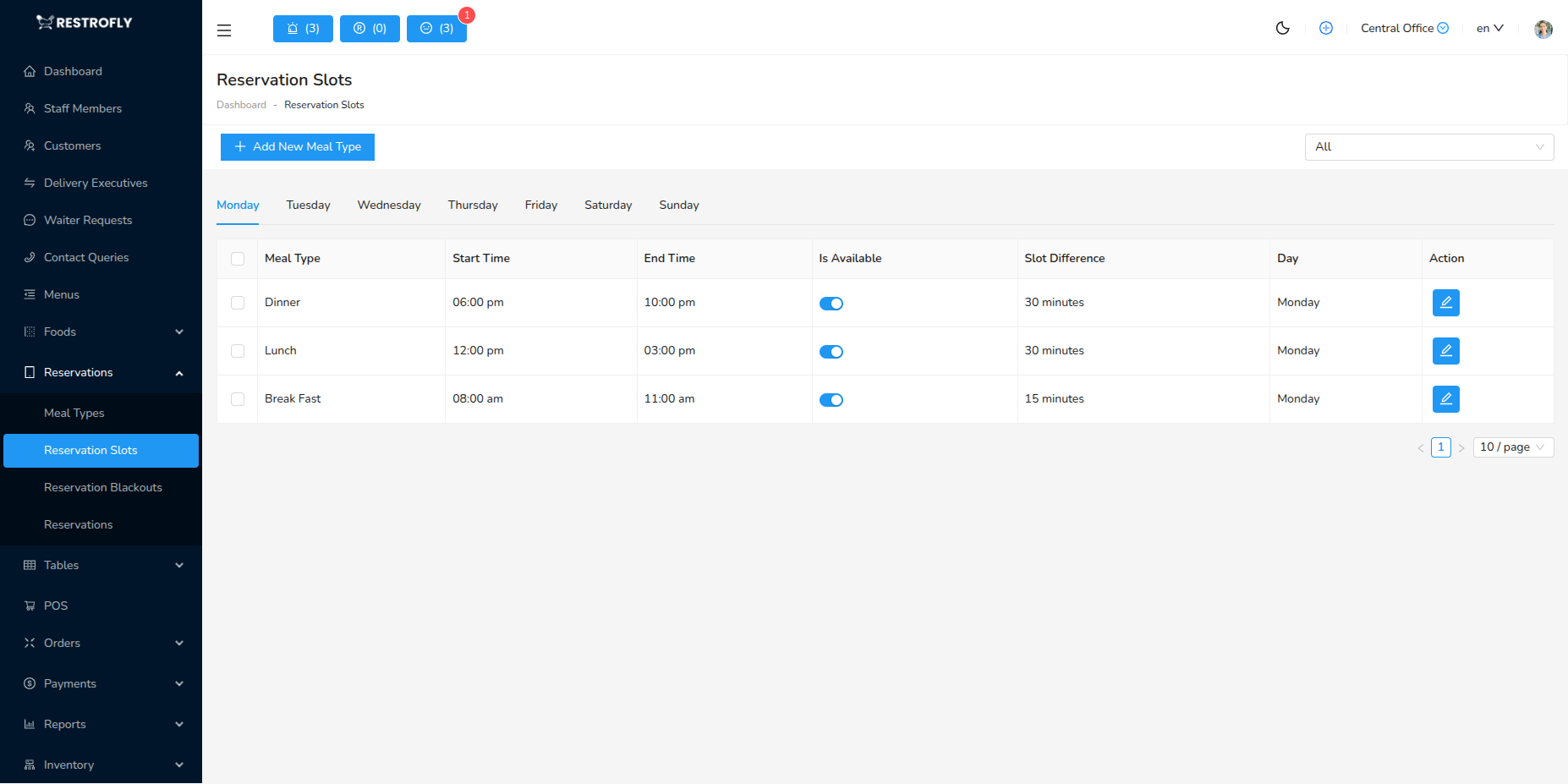
Reservation Slots provide fine-grained control over when reservations can be made. While Meal Types define broad service periods, Reservation Slots let you specify exact available times and control availability on specific days.
Creating a Reservation Slot
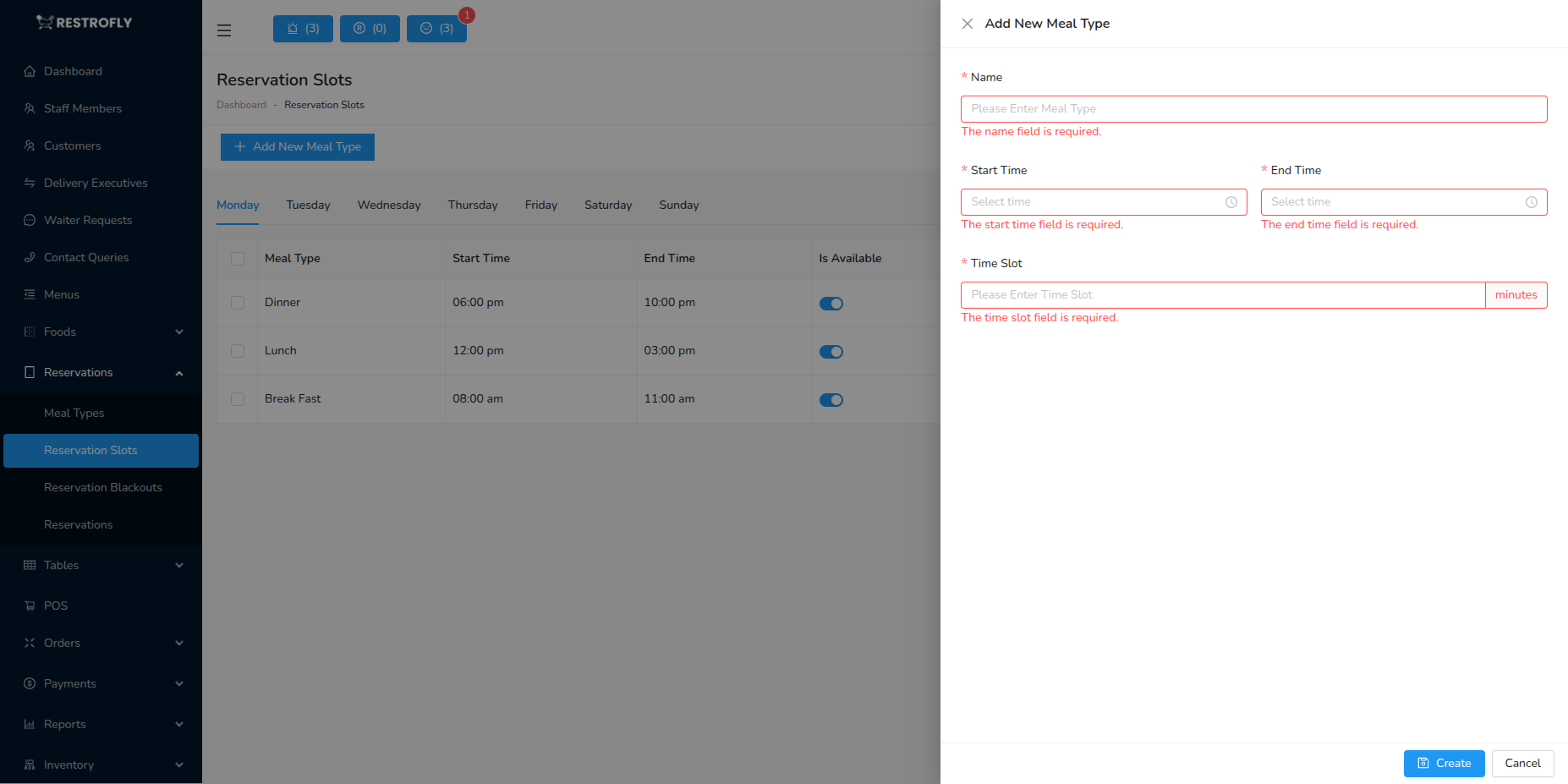
Click Add Reservation Slot to create a new bookable time slot.
Start Time (Required)
- Beginning of this reservation slot
- Format: 24-hour time (e.g., 12:00, 19:00)
- Example: 19:00 for 7 PM slot
End Time (Required)
- End of this reservation slot
- Must be after Start Time
- Example: 20:30
Slot Difference (Minutes) (Required)
- How frequently slots repeat within this time range
- Example values: 15, 30, 60 minutes
- If Start: 19:00, End: 21:00, Difference: 30 minutes:
- Slots created: 19:00, 19:30, 20:00, 20:30
Is Available (Required)
- Toggle: Enable or Disable this slot
- Set to "No" to temporarily disable without deleting
- Useful for:
- Special events
- Staff shortages
- Seasonal closures
- Maintenance days
Days of Week (Optional)
- Select which days this slot is available
- Checkboxes: Mon, Tue, Wed, Thu, Fri, Sat, Sun
- Leave all unchecked for "every day"
- Examples:
- Weekend brunch: Only Sat, Sun
- Weekday lunch: Mon-Fri only
- Daily dinner: All days or leave blank
Reservation Slots List View
The list displays:
- Start Time: Slot begins
- End Time: Slot ends
- Slot Difference: Repeat interval
- Available: Yes/No status
- Days: Which days active
- Actions: Edit, Delete, Quick Toggle
How Reservation Slots Work
Slot Generation
- System generates individual bookable times based on your settings
- Example: 18:00-22:00, 30-minute difference
- 18:00, 18:30, 19:00, 19:30, 20:00, 20:30, 21:00, 21:30
- Each generated time is a bookable slot
- Customers see all available times when booking
Day-Specific Availability
- Set different slots for different days
- Example:
- Mon-Thu: 18:00-22:00 slots
- Fri-Sat: 18:00-23:00 slots (extended hours)
- Sun: 17:00-21:00 slots (earlier closing)
Combining with Meal Types
- Reservation Slots work alongside Meal Types
- Meal Type defines service period (Dinner 18:00-23:00)
- Slots define exact bookable times within that period
- Both systems work together for complete control
Common Slot Configurations
High-Volume Casual Dining
- Lunch: 11:30-14:30, 15-minute intervals
- Dinner: 17:00-22:00, 15-minute intervals
- More slots = more capacity = more bookings
Mid-Volume Restaurant
- Lunch: 12:00-15:00, 30-minute intervals
- Dinner: 18:00-22:00, 30-minute intervals
- Balanced approach
Low-Volume Fine Dining
- Lunch: 12:00-14:00, 60-minute intervals
- Dinner: 18:00-22:00, 60-minute intervals
- Fewer slots = exclusive feel = higher prices
Weekend Brunch
- Saturday-Sunday Only
- Time: 10:00-15:00, 30-minute intervals
- Day-specific scheduling
Best Practices
Interval Strategy
- 15 minutes: High volume, fast turnover (fast casual)
- 30 minutes: Medium volume, balanced (most common)
- 60 minutes: Low volume, exclusive (fine dining)
- Shorter intervals = more bookings but busier kitchen
Day-Based Customization
- Different hours for weekdays vs weekends
- Extended hours on busy nights (Friday, Saturday)
- Earlier closing on slow days (Monday, Tuesday)
- Match actual business patterns
Capacity Management
- Don't create more slots than kitchen can handle
- Consider prep time and kitchen capacity
- Account for staff availability
- Balance revenue and service quality
Seasonal Adjustments
- Adjust slots seasonally
- Summer: Later evening slots
- Winter: Earlier evening slots
- Holiday periods: Extended or reduced hours
Special Events
- Disable slots during private events
- Create special slots for event dates
- Block regular bookings when needed
Buffer Times
- Leave gaps between last slot and closing time
- Allow staff prep time before first slot
- Example: Restaurant closes 23:00, last slot 21:30
Testing
- Test booking flow from customer perspective
- Verify all slots display correctly
- Check day-specific availability
- Ensure times match staff schedules
Availability Toggle
Use the "Is Available" toggle to temporarily disable slots without deleting them. Great for staff shortages, holidays, or special events. Simply toggle back on when ready.
Slot Timing
Ensure your Reservation Slots align with your Meal Types. If Dinner service is 18:00-22:00, don't create slots outside this range, or you'll confuse the booking system.
Staggered Bookings
Use 15-30 minute intervals instead of all customers arriving at one time (e.g., 19:00 sharp). This staggers kitchen orders and prevents overwhelming the staff.